In the event of a recall, a Customer Service Representative–or CSR–may need to destroy a bottle that has already been picked for an order. To destroy a bottle from the Order Profile, follow these steps:
Required permission(s): order_read, destruction_lot_read, order_update
-
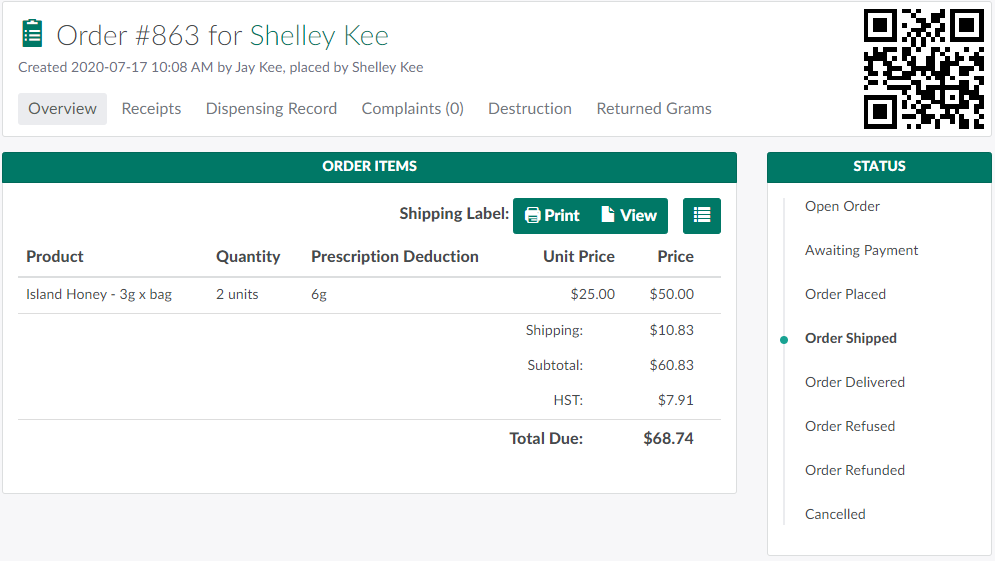
In the Orders module, select an order that has been Placed, Shipped, or Delivered.
-
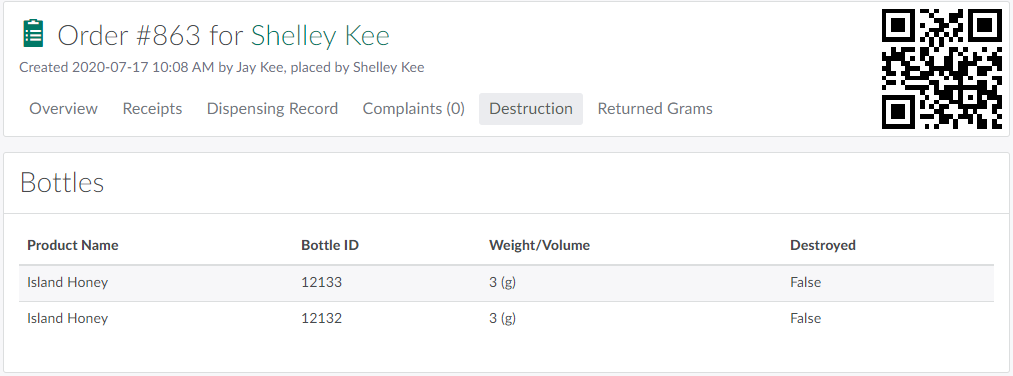
Open the Destruction tab. Here, a CSR can see all bottles associated with the order.
-
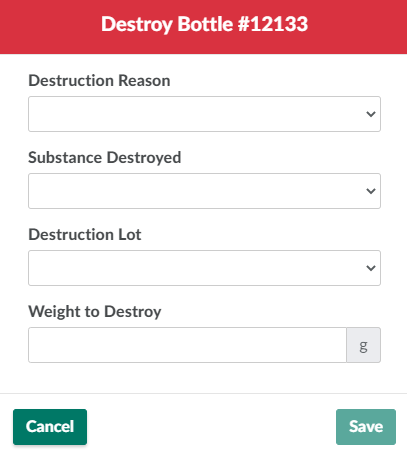
Select a bottle that has not yet been destroyed. This opens the Destroy Bottle modal.
-
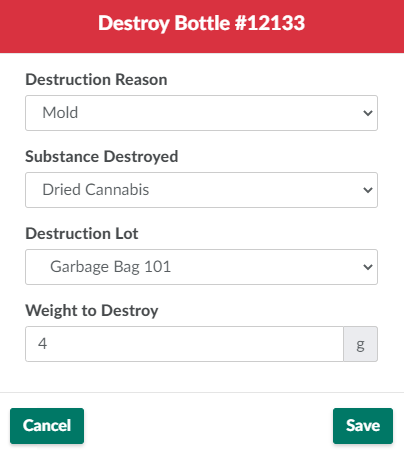
Enter information about the destruction in the fields provided.
-
Destruction Reason: The reason for the destruction.
- Visit the Destruction Settings tab to Add a Destruction Reason Code.
-
Substance Destroyed: The substance to be destroyed.
- Visit the Destruction Settings tab to Add a Destroyed Substance Type.
-
Destruction Lot: The Destruction Lot and Sublot that will house the waste.
- Visit the Destruction module to Create a New Destruction Lot or Sublot.
-
Weight to Destroy: The weight, in grams, of the waste.
-
Volume to Destroy: The volume, in ml, of the waste. This only applies to oil products.
-
-
Click Save to destroy the bottle. The field in the bottle's Destroyed column will read True.

If a mistake occurs, the CSR can Restore the Destroyed Bottle to the order.
A QA Technician can also Destroy Bottles in the Productions module.
Once the bottle or bottles have been destroyed, Reset Picking for the Order to pick new bottles.