To introduce a new cannabis strain to their facility, a licence holder might purchase seeds. Typically, Grow Technicians use plants grown from seeds for phenotype selection to develop Mother plants with desirable characteristics for cloning.
Required permission(s): seed_lot_read, strain_read, batch_create
-
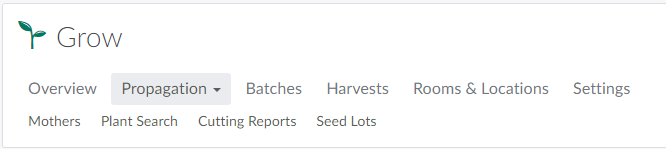
In the Grow module, open the Propagation tab.
-
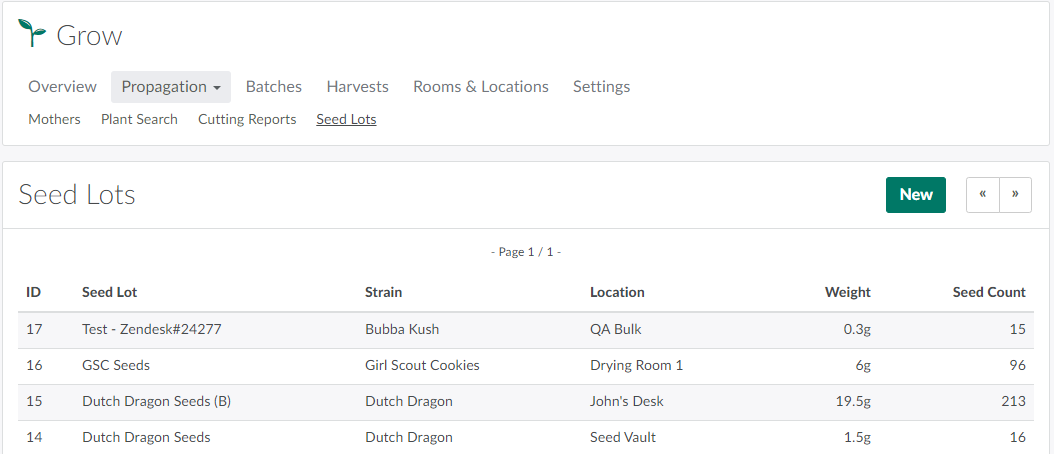
Open the Seed Lots sub-tab.
-
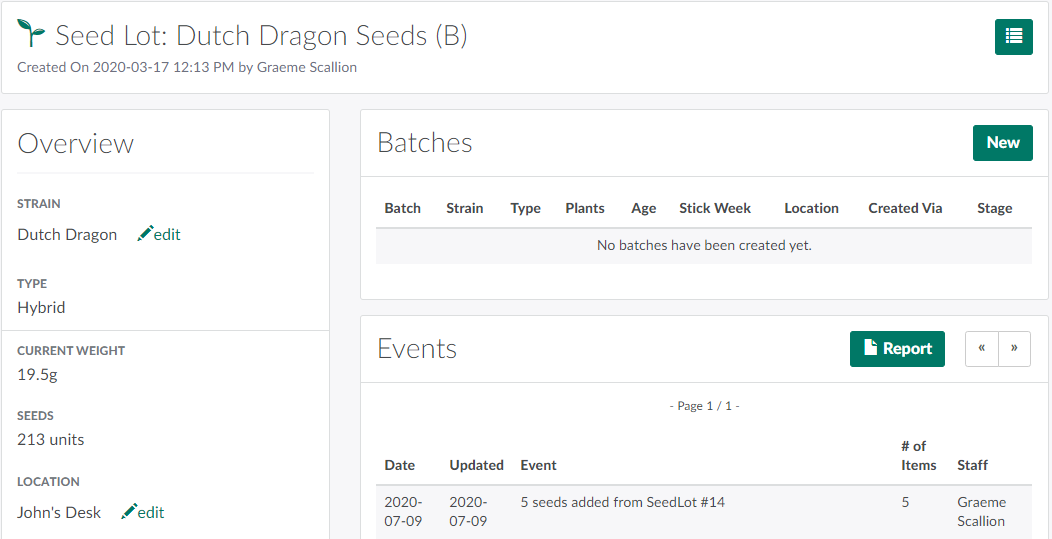
Select a Seed Lot to open the Seed Lot's Profile.
-
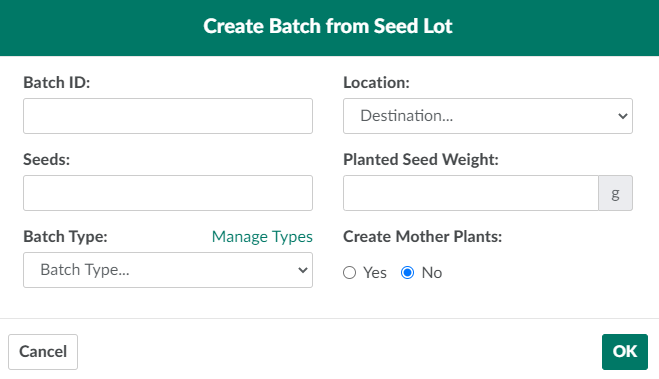
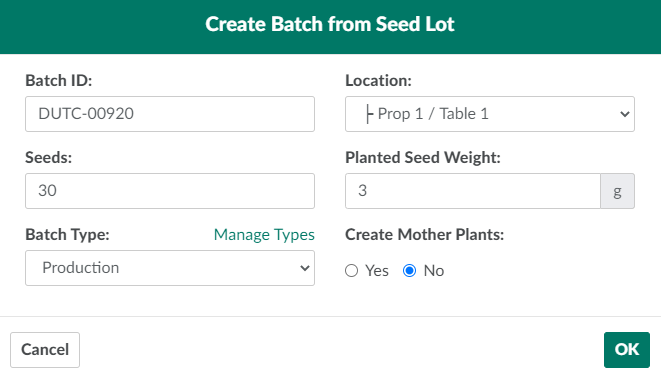
Click New in the Batches section. This opens the Create Batch from Seed Lot modal.
-
Enter information about the new batch in the fields provided.
-
Batch ID: A unique name for the batch.
-
Location: The Grow Room/Location that will house the batch.
-
Seeds: The number of seeds used to create the new batch. This number cannot exceed the total number of seeds in the Seed Lot.
-
Planted Seed Weight: The total weight, in grams, of the planted seeds.
-
Batch Type: The new batch's type.
- Click Manage Types to Create a New Batch Type.
-
Create Mother Plants: Indicates whether or not the plants in the batch are to be Mother plants.
-
-
Click OK to create the new batch.
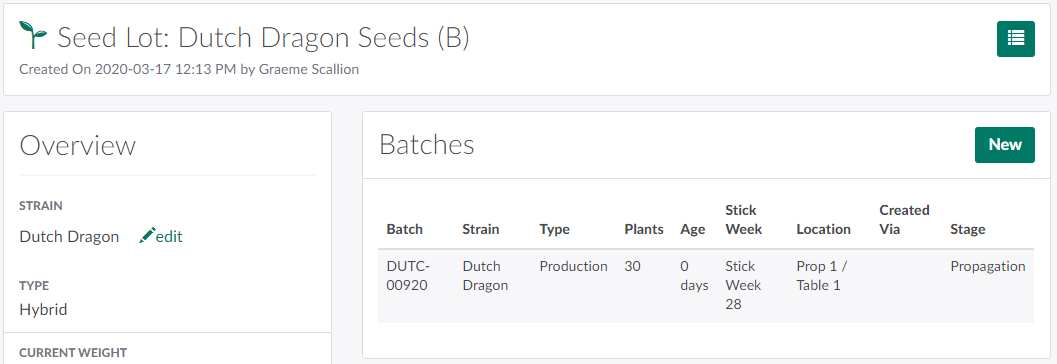
Upon creating a new batch, a Grow Technician should immediately Label the Batch.
A Grow Technician can also Create A Batch from Cuttings or Create a Batch from Wholesale Plants.