A Grow Technician must select a cannabis strain when Creating a Seed Lot or Creating a Batch from Wholesale Plants. The menu of cannabis strains is configured in the Grow Settings tab.
Required permission(s): strain_read, strain_create
-
In the Grow module, open the Settings tab.
[img grow-settings] -
Open the Strains sub-tab. It should be open by default.
[img settings-strains] -
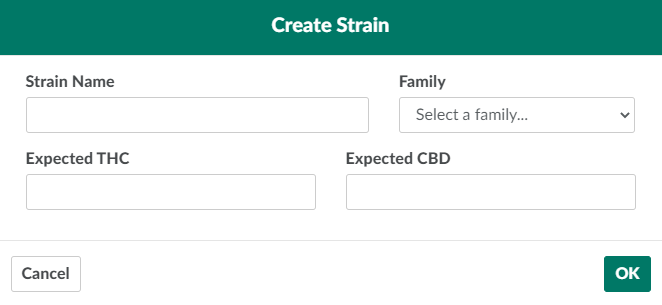
Click New in the Strains section. This opens the Create Strain modal.
-
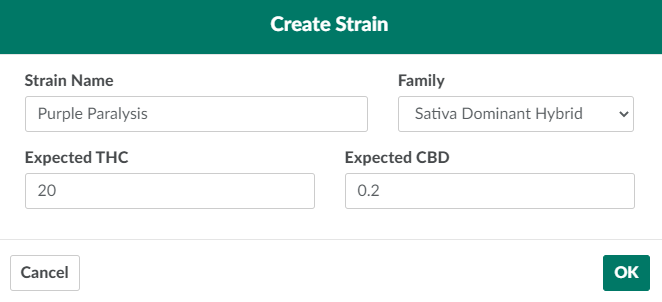
Populate the fields in the modal with information about the new strain.
-
Strain Name:A unique name for the strain.
-
Family: The strain family to which the new strain belongs.
- Click New in the Strain Families section to Create a New Strain Family.
-
Expected THC: The expected THC content (%).
-
Expected CBD:The expected CBD content (%).
-
-
Click OK to add the new cannabis strain.

From the Grow Settings tab, a Grow Technician can also Create a New Batch Type,or Create a New Plant Pot Type.