When Creating a Batch from Wholesale Plants, a Grow Technician must select the batch's source to indicate whether the batch came from a Canadian producer or an international producer. If the technician selects the incorrect source, they should immediately correct the mistake following the process below.
Note*: It is only possible to update the source of a batch created via wholesale plants. Batches created from seeds or cuttings will have their source set to Produced.*
Required permission(s): batch_read, batch_update
-
In the Grow module, open the Batches tab.
[img batches] -
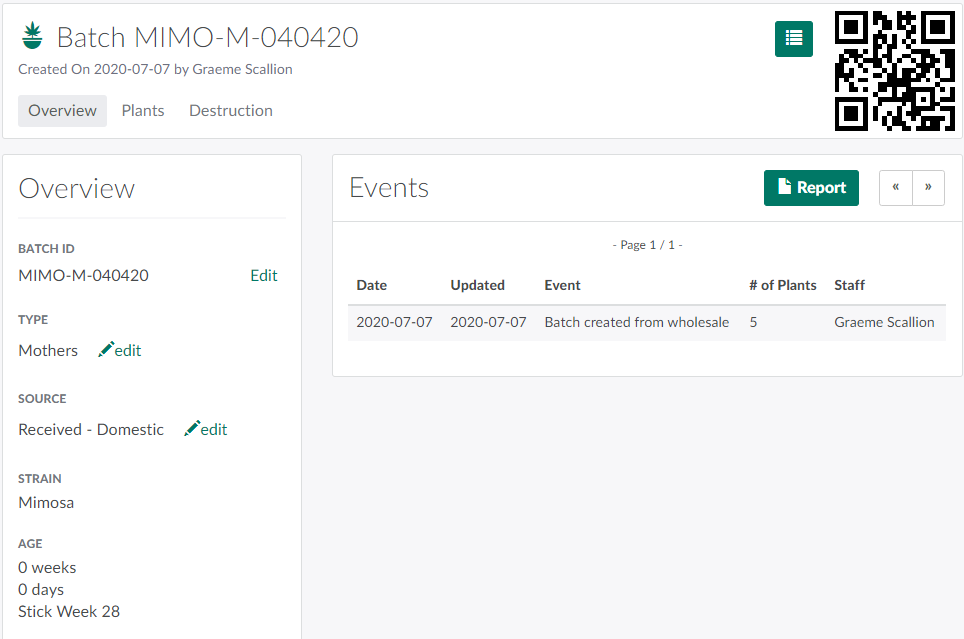
Select a batch created via wholesale to open the Batch's Profile.
-
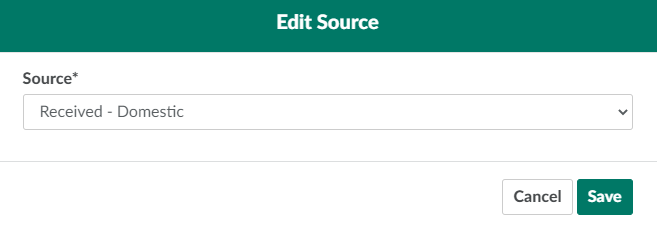
In the Source field, click Edit. This opens an Edit Source modal.
-
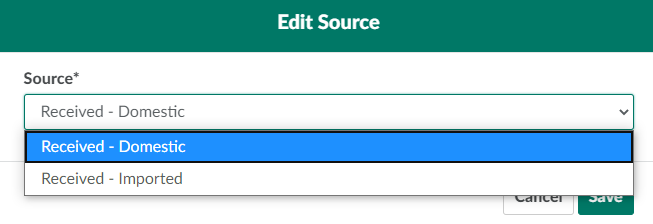
Select a new source from the drop-down provided. Options are:
-
Received - Domestic: Indicates the batch was purchased from another Canadian producer.
-
Received - Imported: Indicates the batch was imported from a producer outside Canada.
-
-
Click Save to update the batch's source.

A Grow Technician can also Edit a Seed Lot's Source.