Throughout a plant's life, it may shed leaves and branches or require trimming, and this small amount of waste is known as plant waste. Follow the steps below to record waste from a single plant.
Note*: Recording waste from a plant is not the same as Destroying the Plant.*
Required permission(s): plant_read, batch_read, destruction_lot_read, plant_archive
-
Open the plant's summary page by scanning its barcode or clicking a hyperlink.
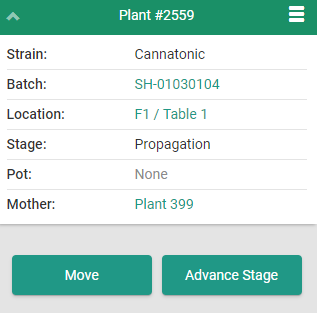
-
Click the

icon to open a menu of options.
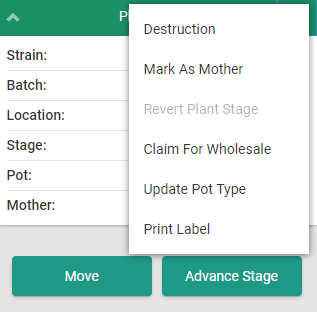
-
Select Destruction to begin the destruction process.
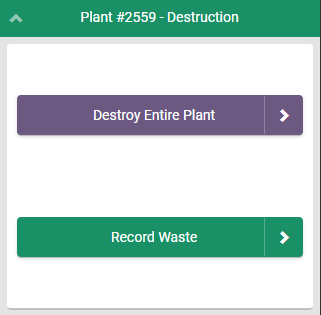
-
Select Record Waste.This opens a menu of Destruction Lots.
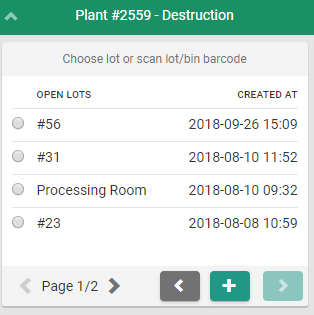
-
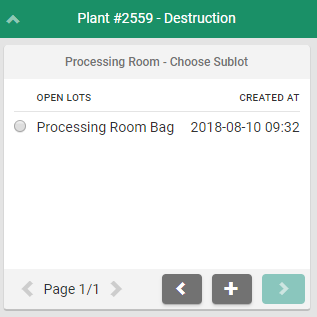
Select a Destruction Lot and click the

icon. This opens a list of all sublots/child lots associated with the Destruction Lot.
-
Note*: To Create a New Destruction Lot, click the*

icon.
-
-
Select a sublot and click the
icon to proceed.
-
Note*: To Create a New Sublot, click the*

icon.
-
-
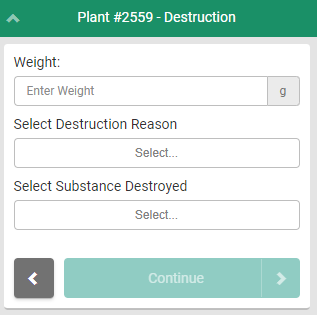
Enter the waste material's weight, the reason for the destruction, and the substance to destroy in the fields provided.
- Visit the Destruction module to Add a New Destruction Reason Code or Add a New Destruction Substance Type.
-
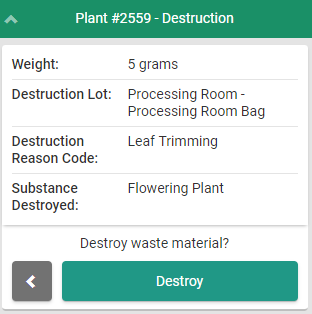
Click Continue to proceed to the destruction confirmation page.
-
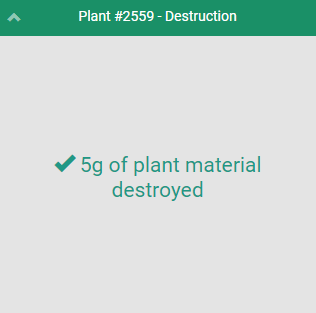
Read through the confirmation page. If everything is in order, click Destroy to destroy the plant waste.
Through the Gun App, Grow Technicians can also Record Waste from a Single Batch or Record Waste from a Grow Room Location.