Clients can opt out of receiving marketing emails by clicking the Unsubscribe link included in every promotional email delivered through the Seed-to-Sale software. However, the licence holder's customer service team can also remove a client from the mailing list through these steps:
Required permission(s): client_read, client_archive
-
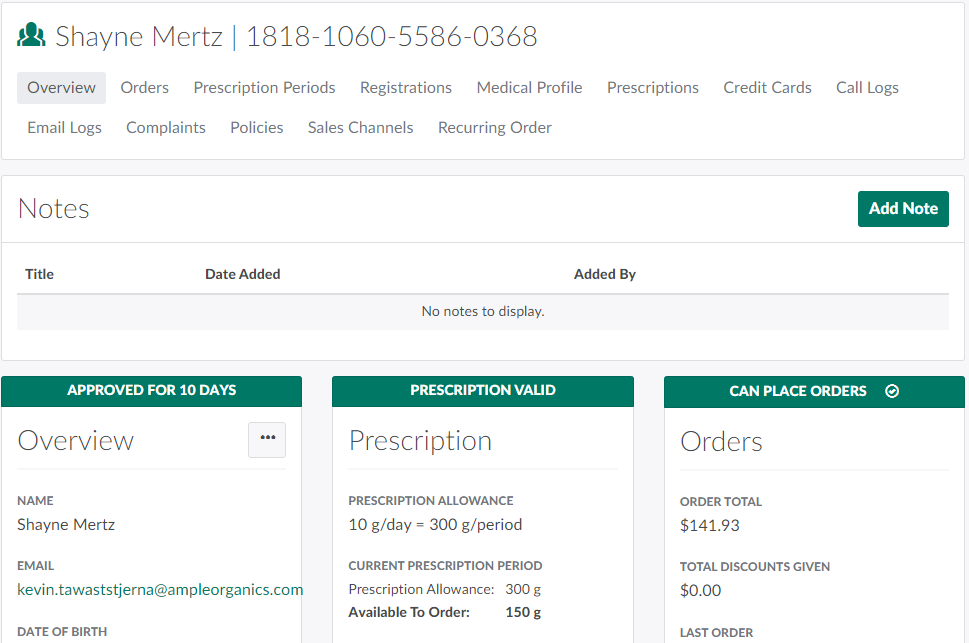
In the Clients module, select a client.
-
Click the

icon in the Overview section to open a menu of options.
-
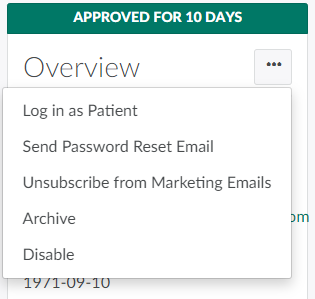
Select Unsubscribe from Marketing Emails.The client will no longer receive promotional emails.

Through the menu of options in the Overview section, Log Into the Client Portal as a Patient, Send a Password Reset Email, Archive the Client, or Disable the Client.