If a client has not changed their password on the Client Portal in some time, a Customer Service Representative–or CSR–should send the client an email to remind them to reset their password.
Required permission(s): client_read, client_update
-
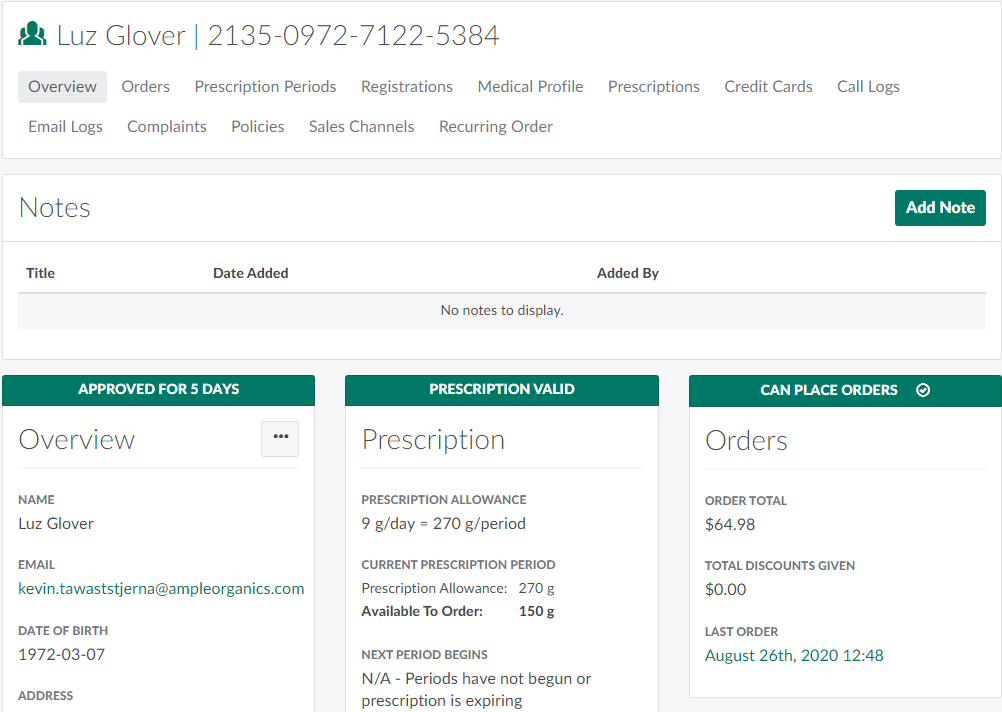
In the Clients module, select a client.
-
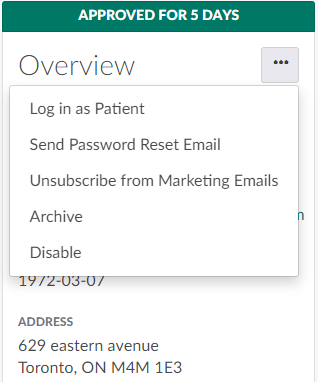
Click the

icon in the Overview section to open a menu of options.
-
Select Send Password Reset Email. This sends an email to the client reminding them to change their password.

From the Client's Profile, the CSR can also Create a Note about the Client, Log Into the Client Portal as a Patient, or Unsubscribe a Client from Marketing Emails.