If QA Technicians destroy a Bulk Lot's retention sample in error, follow the steps below to revert the destruction.
Required permission(s): production_read, destruction_lot_read, retained_sample_destroy
-
In the Productions module, select a production.
[img production-profile] -
Select a Bulk Lot. This opens the Bulk Lot's Profile.
[img bulk-lot-overview] -
Open the Destruction tab.
[img bulk-lot-destruction] -
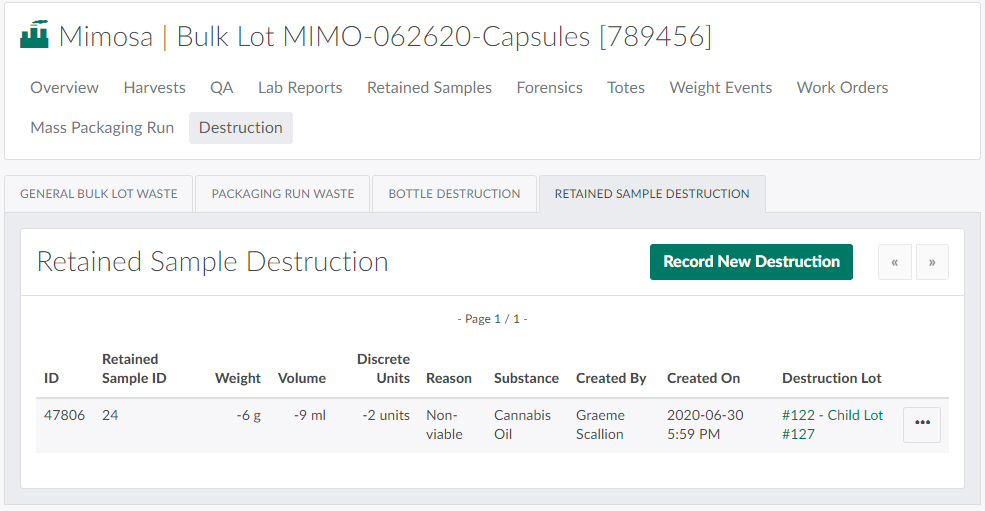
Open the Retained Sample Destruction sub-tab.
-
Click the

icon beside a destroyed retention sample to open a menu of options.

-
Select Revert Destruction to restore the sample.

The Destruction tab also allows QA Technicians to Restore General Bulk Lot Waste, Restore Packaging Run Waste,and Restore Destroyed Bottles.