If a batch is too large to fit in a single location, Grow Technicians may divide the batch between multiple locations into batch subsets known as Grows*.* If all plants in a single Grow are in the same stage of cultivation, a Grow Technician can advance the Grow as a unit from the Grow's Profile. Follow the steps below to advance a Grow.
Required permission(s): batch_update
-
In the Grow module, open the Rooms & Locations tab.
[img rooms-and-locations] -
Select a location. This opens the Location's Profile.
[img location-profile] -
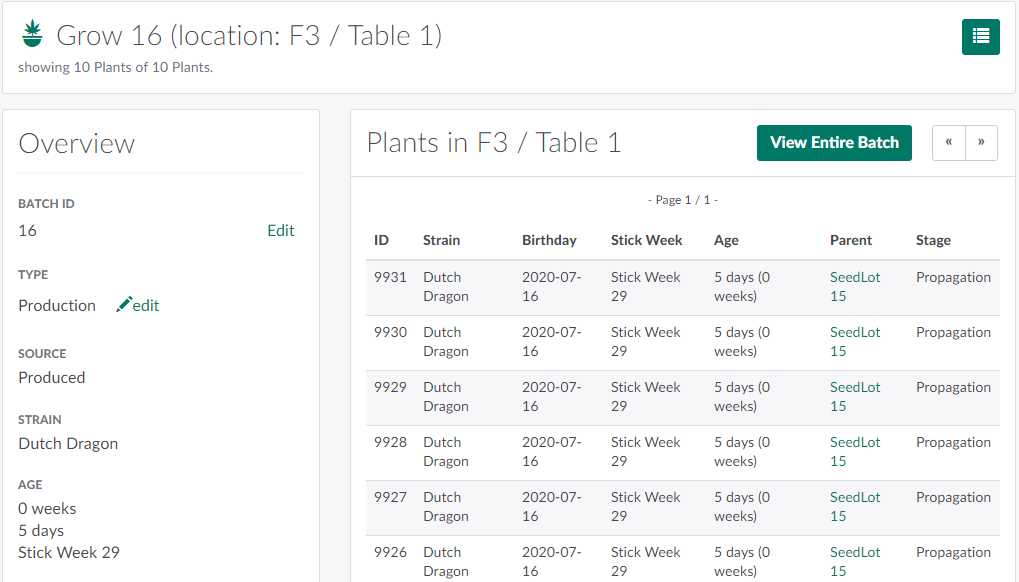
Select a batch subset, also known as a Grow, from the Batches section. This opens the Grow's Profile.
-
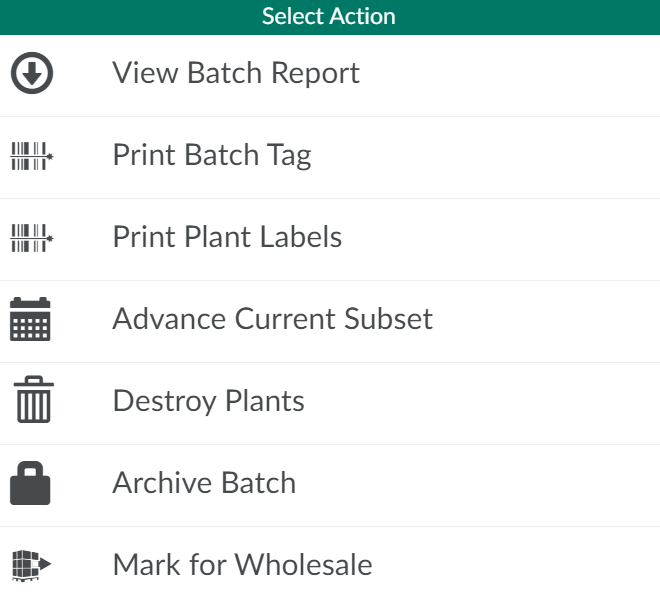
Click the

icon to open a menu of options.
-
Select Advance Current Subset. This opens a confirmation modal.
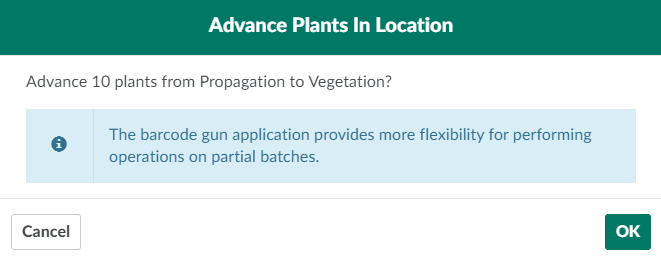
- Note*: If plants in the Grow are in multiple stages, the modal will include an error message and prevent the technician from advancing the subset.*
-
Click OK to advance all plants in the Grow to the next stage of cultivation.
The Gun App provides more flexibility for performing operations on partial batches. Using the Gun, a Grow Technician can Advance the Stage of an Individual Plant, Advance the Stage of All Plants in a Single Location or Advance Multiple Plants in a Single Batch. If an error occurs, Revert the Stage of an Individual Plant or Revert the Stage of Multiple Plants in a Single Batch.