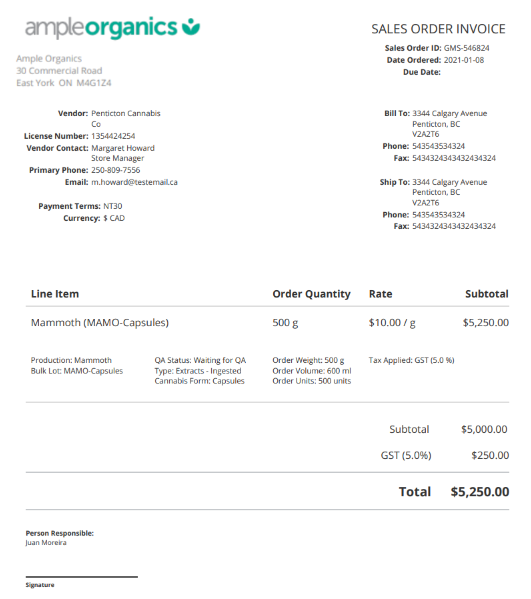
A sales order invoice confirms a Sales Order's contents, including line items, cost, status, and terms of payment. The license holder must send a sales order invoice PDF to the vendor as soon as a new Sales Order is Approved.
Required permission(s): sales_order_read
-
In the Wholesale application, open the Sales Orders tab. It should be open by default.
[img sales-order-index] -
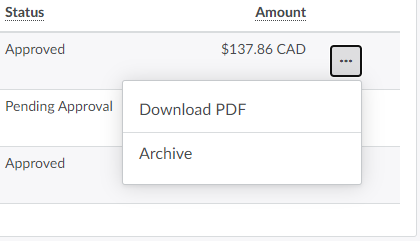
Select a Sales Order and click the

icon in the rightmost column. This opens a menu of options.
-
Click Download PDF to generate and download the Sales Order invoice.
-
Note: The invoice will be unavailable if the Sales Order has not been approved. If the status is Open or Pending Approval, Change the Sales Order's Status.
-
You can also proceed to the Sales Order's Profile to download the invoice.
-
Select a sales order to open the Sales Order's Profile.
[img sales-order-profile-unpackaged]- Note: The invoice will be unavailable if the Sales Order has not been approved. If the status is Open or Pending Approval, Change the Sales Order's Status.
-
In the Overview section, click Download.This prompts the Sales Order invoice to download, in PDF format.
From the Sales Order's Profile, you can also Create a Shipment.