If a tax type is deprecated or specific to a jurisdiction the license holder does not serve, you can archive the tax type to keep the menu of tax types organized.
Required permission(s): tax_type_read, tax_type_update
-
In the Wholesale application, open the Settings tab.

-
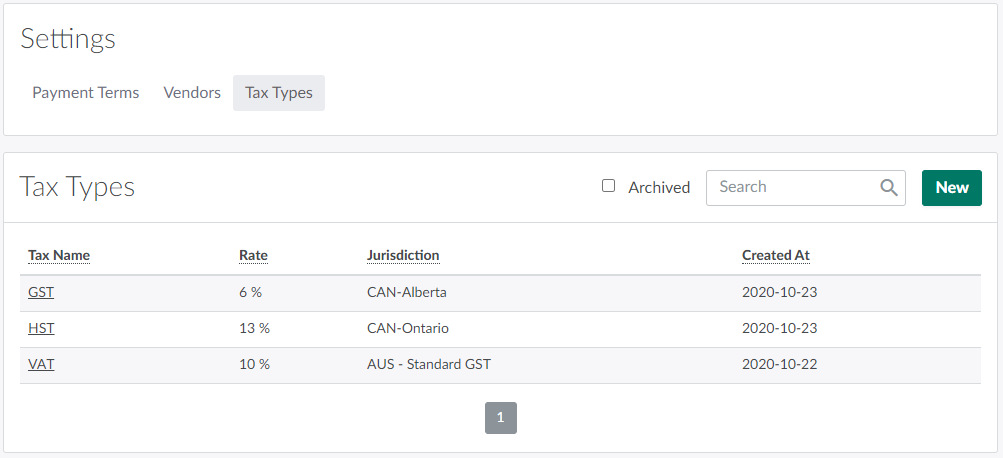
Open the Tax Types sub-tab.
-
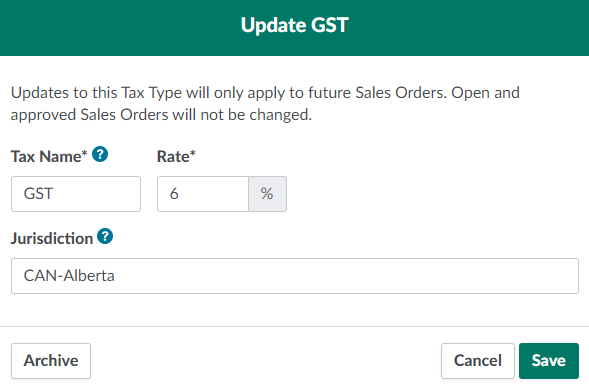
Select a tax type to open the Update Tax Type modal.
-
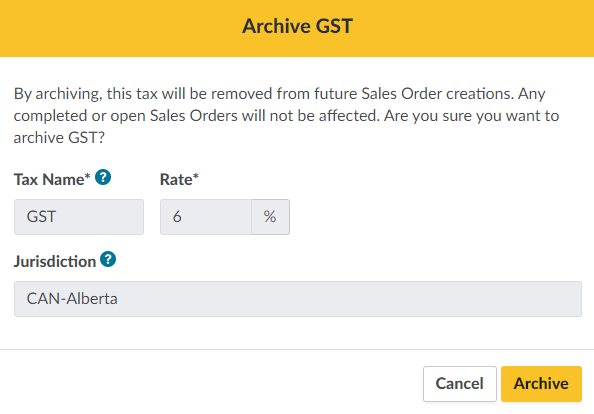
Click Archive. This summons a confirmation modal.
-
Click Archive again to archive the tax type. The tax type will no longer appear as an option when creating a Sales Order. Any completed or open Sales Orders will be unaffected.

From the Tax Types tab, you can also Add a Tax Type or Update a Tax Type.