If a client's registration expires or is about to expire, a Customer Service Representative–or CSR–should send a request to the client to renew their registration through the Client Portal.
Required permission(s): client_read, client_update
-
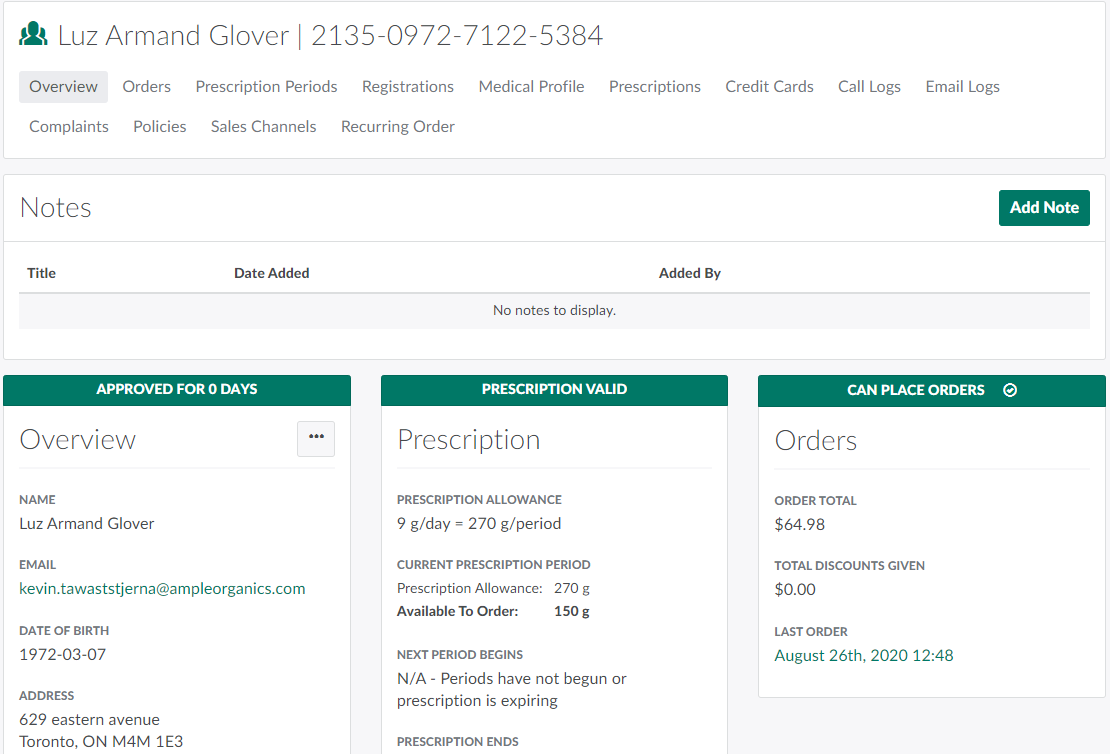
In the Clients module, select a client.
-
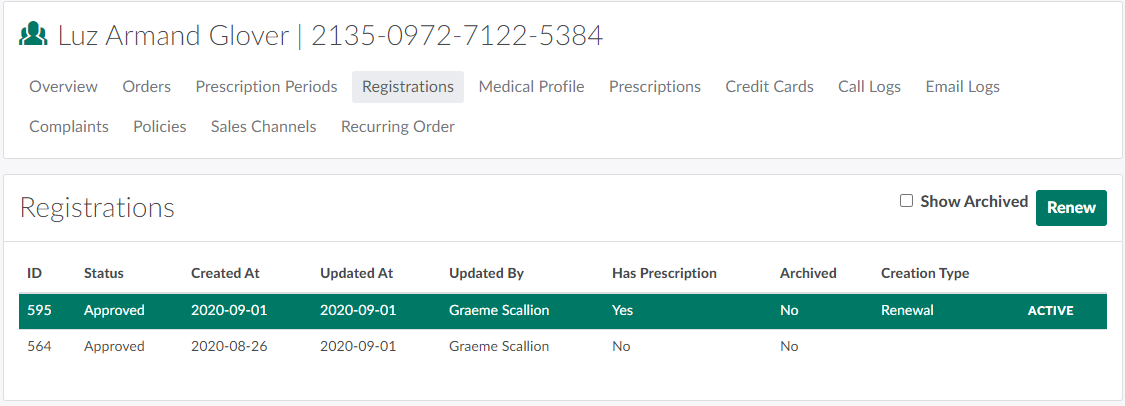
Open the Registrations tab.
-
Click Renew. This opens a New Renewal modal.

-
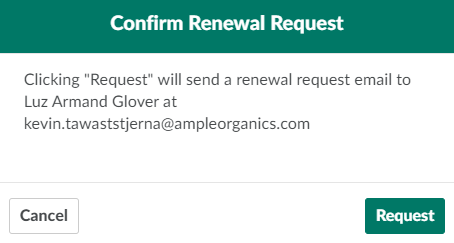
Select Request Renewal. This opens a Confirm Renewal Request modal.
-
Click Request to send a renewal request email to the client.
Once the client has submitted their registration renewal, their registration information will be automatically updated in Ample Organics. A CSR should verify the information, and then Set the Client's Registration Status to Approved.
Once the registration has been renewed, the CSR should Generate and Download a Registration Renewal Confirmation Document and Send a Confirmation Email to the client.