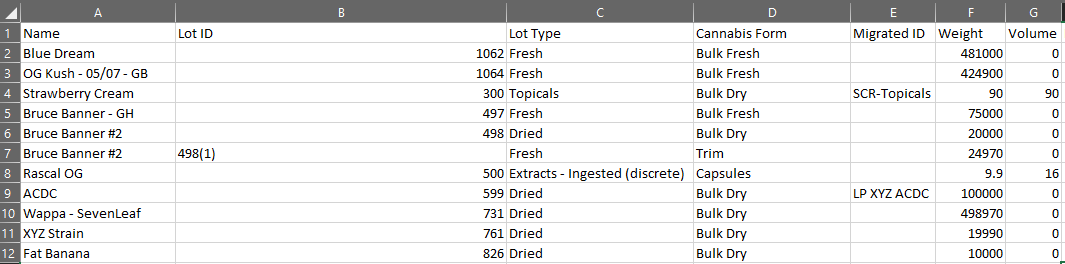
The Bulk Inventory Report pulls essential information about each Bulk Lot saved to a licence holder's Seed-to-Sale environment. For each Bulk Lot, the report lists the lot's associated production, packaged weight and volume, unpackaged weight and volume, QA status, location, type, cannabis form, and cannabinoid potencies.
Required permission(s): production_read, report_inventory_read
Note*: The Bulk Inventory Report is also accessible through the Inventory report types sub-tab in the Reports module.*
-
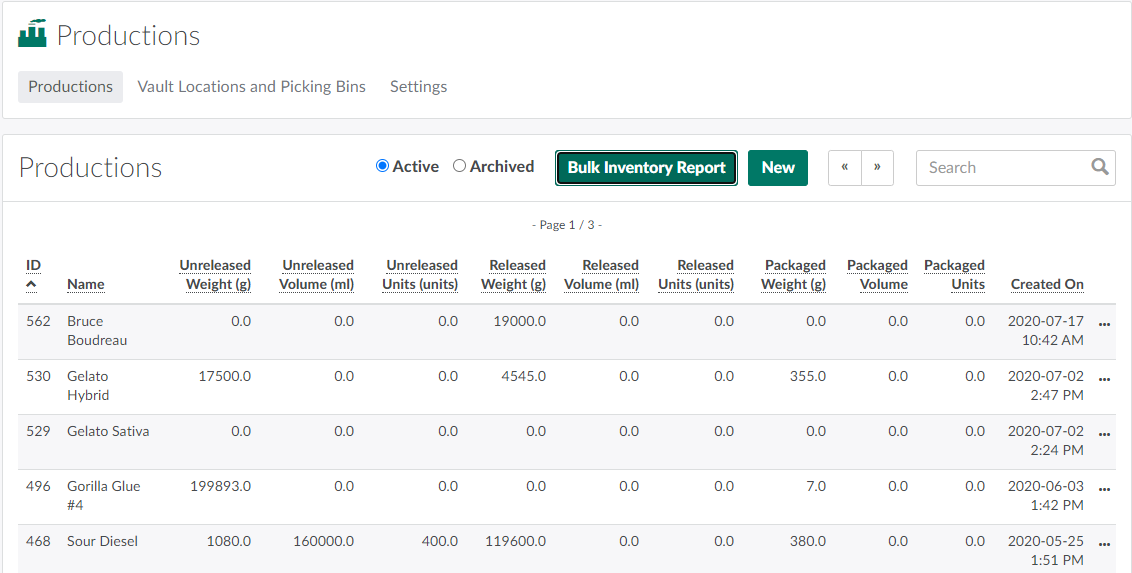
Open the Productions module.
-
Click Bulk Inventory Report. This prompts the Bulk Inventory Report to download in CSV format.
From the Productions module, a Processing Technician can also download a Forensics Report, a Packaged Inventory Report, or a Bulk Lot Weight Events Report.