If a Bulk Lot is empty and unused, a QA Technician should archive the Bulk Lot. This declutters the Bulk Lots section on a Production's Profile, as archived Bulk Lots do not appear in the index by default. Please note that a Bulk Lot cannot be archived if it contains weight, volume, or discrete units; or if there are any EA units–also known as bottles–associated with the lot.
A technician can archive a lot with a retained sample if all associated EA units have been sold. This is useful for keeping the Bulk Lot hidden from the index until a year has passed after the last date of sale or provision, at which time a technician can destroy the retained sample.
Required permission(s): production_read, bulk_lot_archive
-
In the Productions module, select a production.
[img production-profile] -
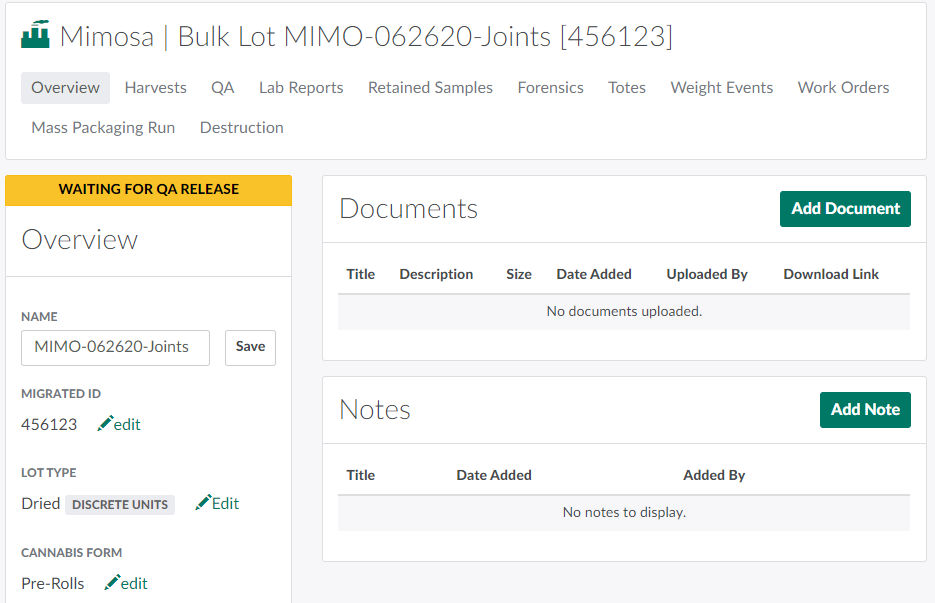
Select a Bulk Lot to open the Bulk Lot's Profile.
-
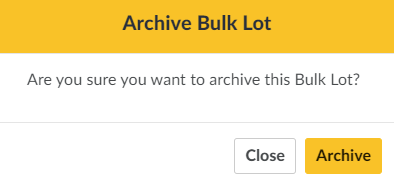
Scroll down, and click Archive. If the Bulk Lot is empty and has no associated EA units, a confirmation modal will appear. If the Bulk Lot contains weight/volume/discrete units and/or has any associated EA units that have not been sold, an error message will appear, and you will be unable to continue.
-
Click Archive to mark the Bulk Lot as Archived.

At any time, you can repeat this process to Unarchive the Bulk Lot.
From the Bulk Lot's Overview tab, a QA Technician can also Change the Bulk Lot's Type, Change the Bulk Lot's Cannabis Form, or Print a Barcode for the Bulk Lot.