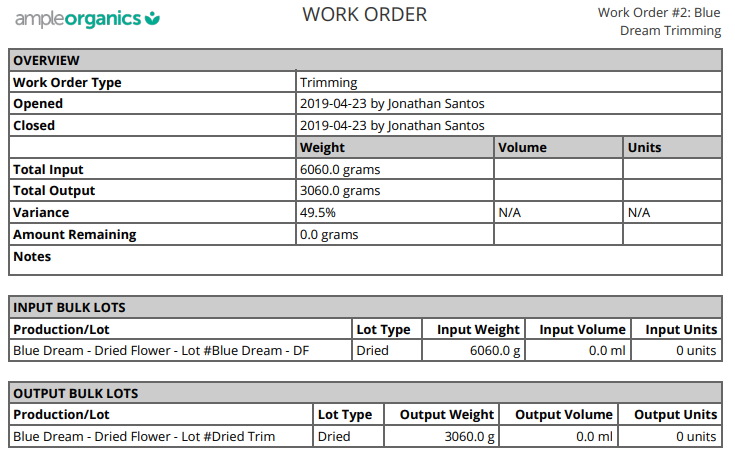
A Work Order Report summarizes a Work Order's input and output weight and volume, as well as the input and output Bulk Lots. The Work Order must be Closed before you can generate a PDF report. Open the Work Order Profile to Finalize and Close the Work Order.
-
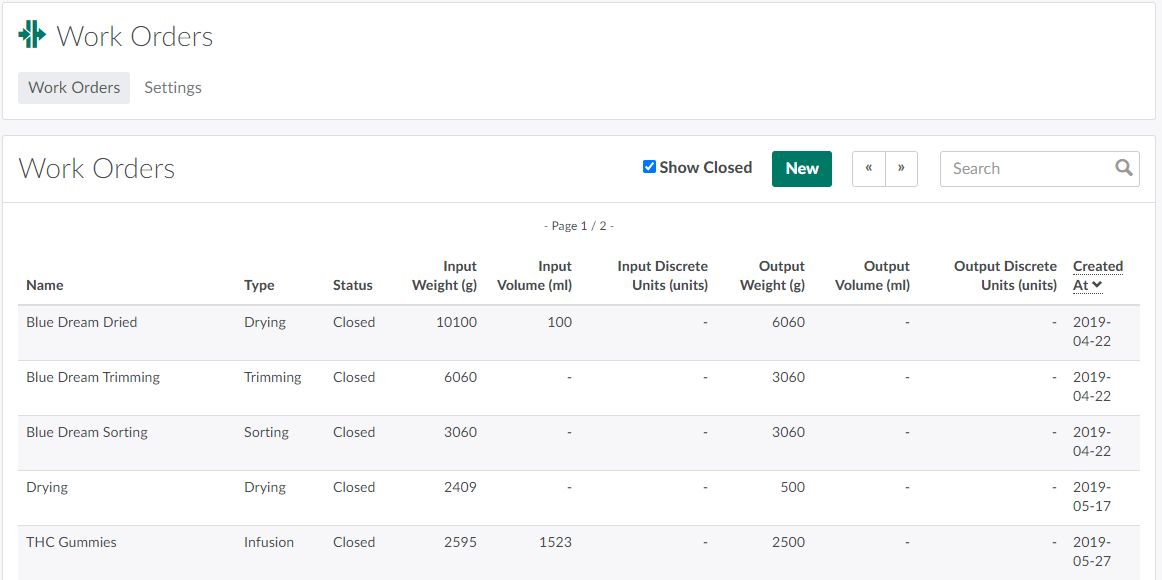
Open the Work Orders module and check the Show Closed box. This adds Closed Work Orders to the index.
-
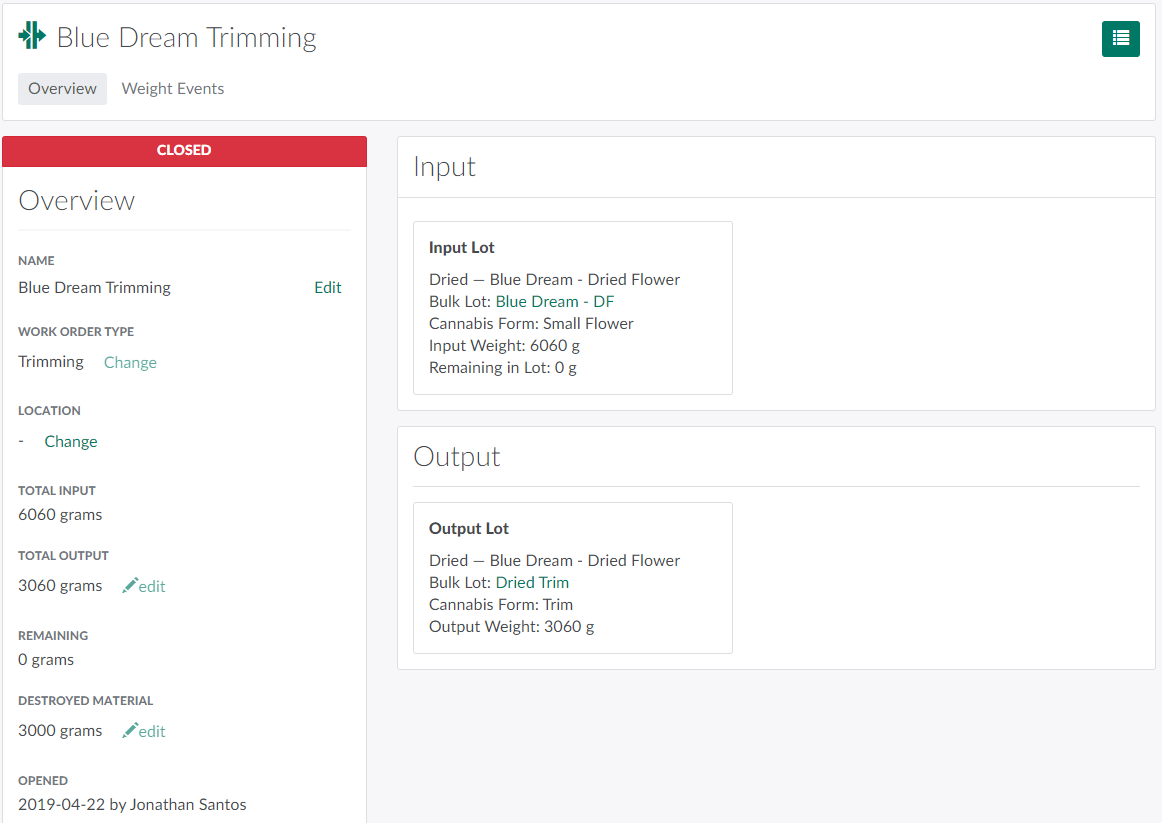
Select a Closed Work Order to open the Work Order's Profile.
-
Scroll down to the bottom of the page, and click Download PDF Report to generate the report.
Visit the Work Order Settings tab to Create a New Work Order Type.