When Harvesting Cannabis, Grow Technicians output fresh cannabis to a Bulk Lot and record any waste. If waste is recorded incorrectly, follow the steps below to revert the destruction event.
Required permission(s): harvest_read, harvest_update
Note*: To revert a harvest destruction, the harvest and the destination Destruction Lot must be Open.*
-
In the Grow module, open the Harvests tab.
[img harvests] -
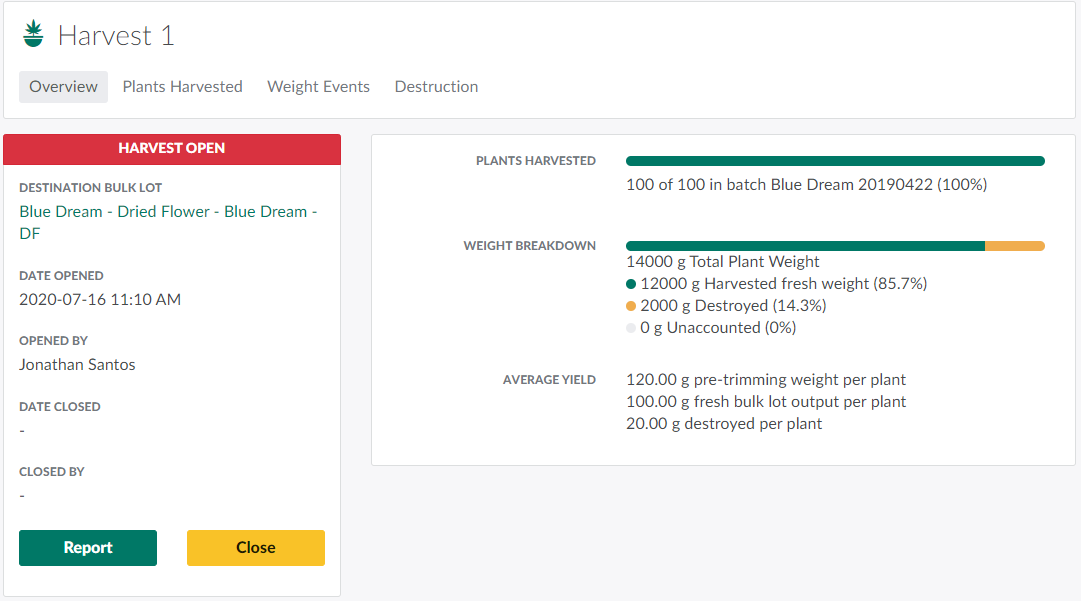
Select a harvest to open the Harvest's Profile.
-
Note*: A Grow Technician can only revert a harvest destruction if the harvest is Open. If the harvest is Closed, click Reopen.*
-
-
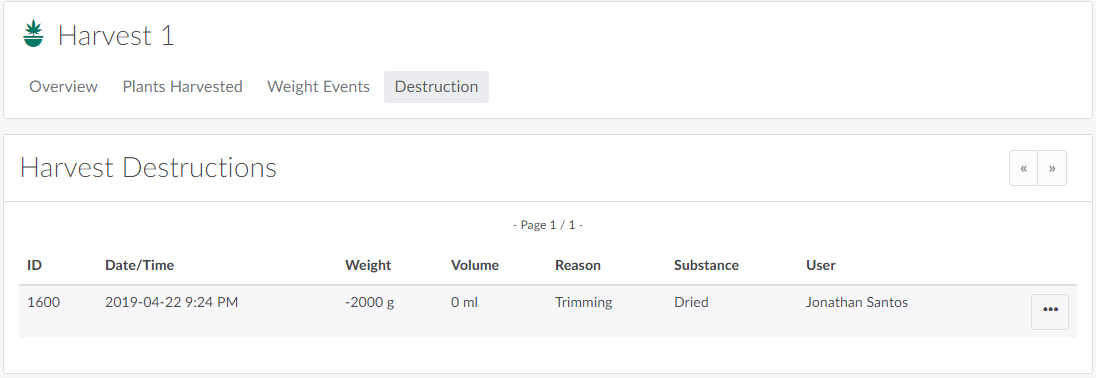
Open the Destruction tab.
-
Locate the faulty destruction event, and click the

icon to open a menu of options.

-
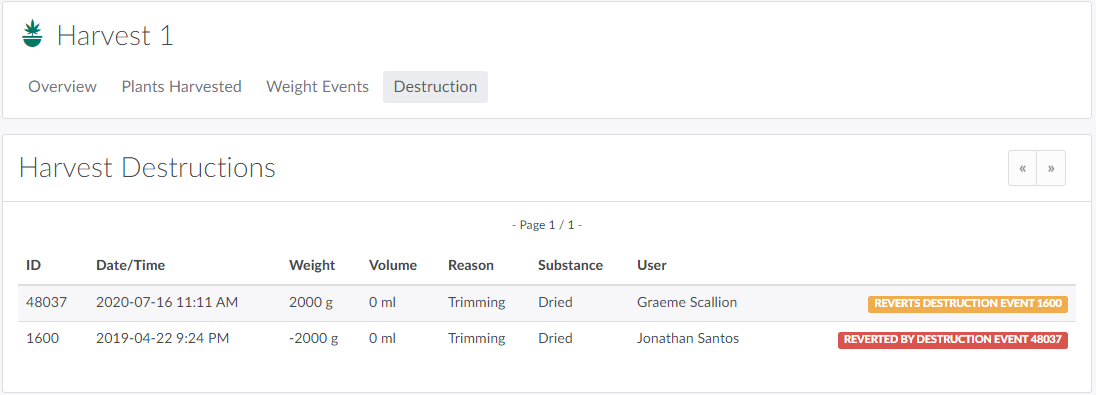
Click Revert Destruction. This removes the destroyed weight from the harvest's total plant weight.
-
Note*: This action will be unsuccessful of the destination Destruction Lot has been Closed or Destroyed.*
-
Visit the Destruction Process Guide for a comprehensive list of all destruction methods.