If a batch is too large to fit in a single location, Grow Technicians may divide the batch between multiple locations into batch subsets known as Grows. If the plants in a Grow are infected or otherwise unfit for production, a Grow Technician can destroy the Grow.
Please note that destroying a Grow destroys all plants in the Grow. To specify the number of plants to destroy, visit the Gun App and Destroy Multiple Plants from a Single Batch.
Required permission(s): batch_read, plant_archive
-
In the Grow module, open the Rooms & Locations tab.
[img rooms-and-locations] -
Select a location to open the Location's Profile.
[img location-profile] -
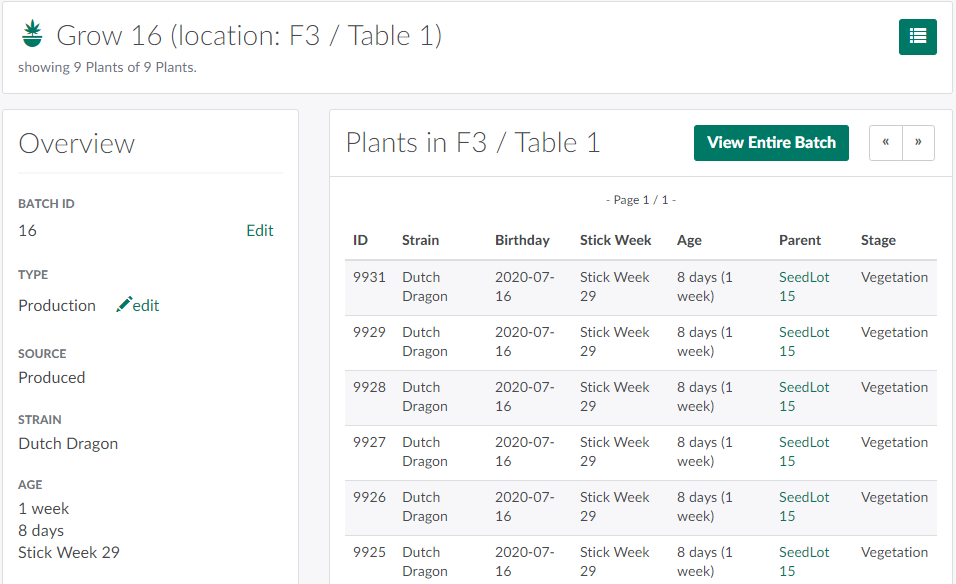
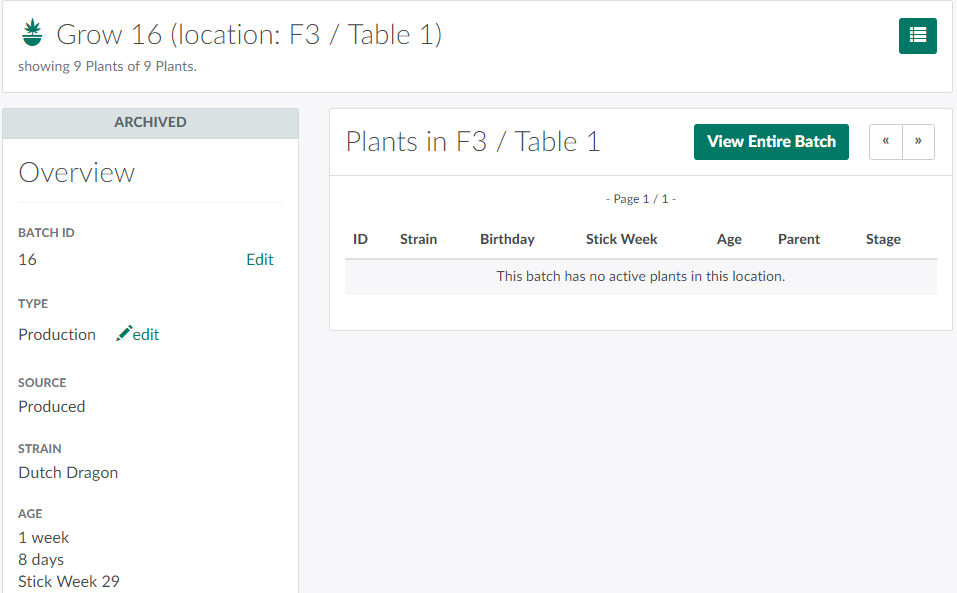
Select a batch subset–also known as a Grow–to open the Grow's Profile.
-
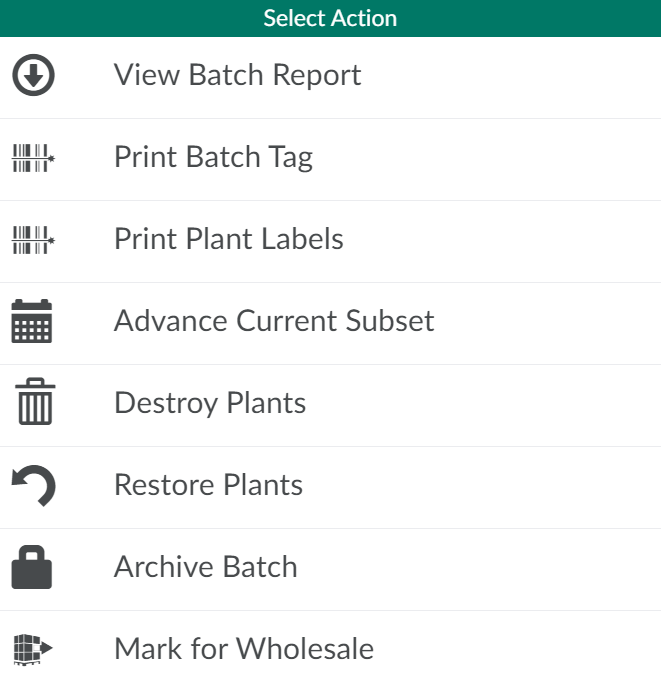
Click the

icon to open a menu of options.
-
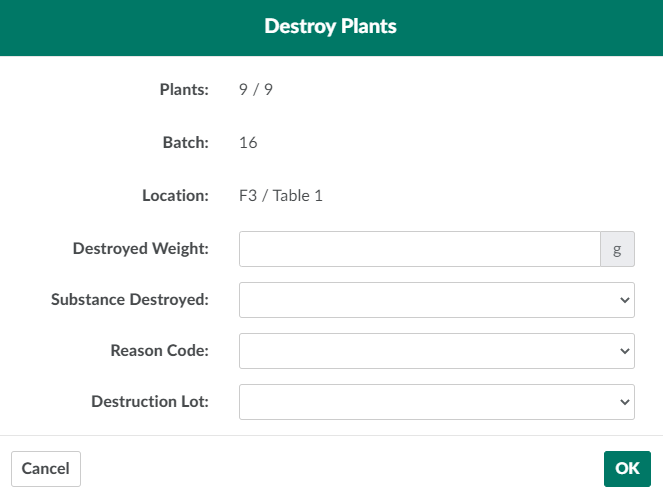
Select Destroy Plants. This opens the Destroy Plants modal.
-
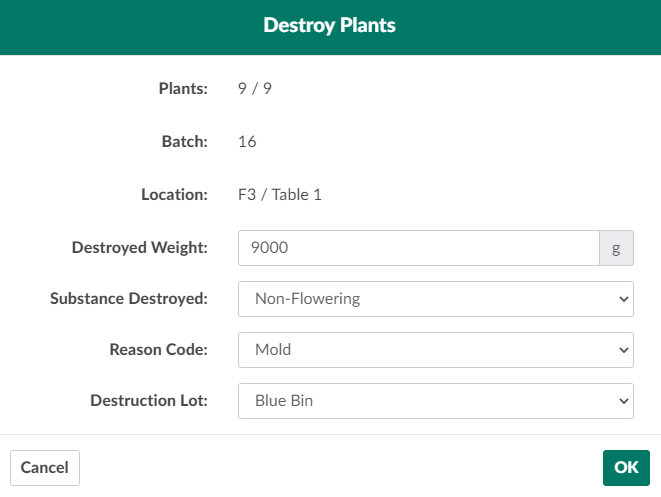
Enter information about the destruction in the fields provided.
-
Destroyed Weight: The total weight, in grams, to destroy.
-
Substance Destroyed: The substance to destroy.
- Visit the Destruction Settings tab to Add a New Destruction Substance Type.
-
Reason Code: The reason for the destruction.
- Visit the Destruction Settings tab to Add a New Destruction Reason Code.
-
Destruction Lot: The Destruction Lot and sublot that will house the waste.
-
-
Click OK to destroy all plants in the Grow.
If an error occurs, Restore the Batch Subset.
Visit the Destruction Process Guide for a list of all ways to destroy and restore waste.