Once a Destruction Lot is Closed, you can generate a destruction lot report that summarizes the weight/volume/discrete units destroyed in the lot, and the contents of each child lot/sublot. If the Destruction Lot has been Destroyed, the report also includes destruction details and fields for witnesses to verify that the destruction took place as indicated.
Required permission(s): destruction_lot_read
-
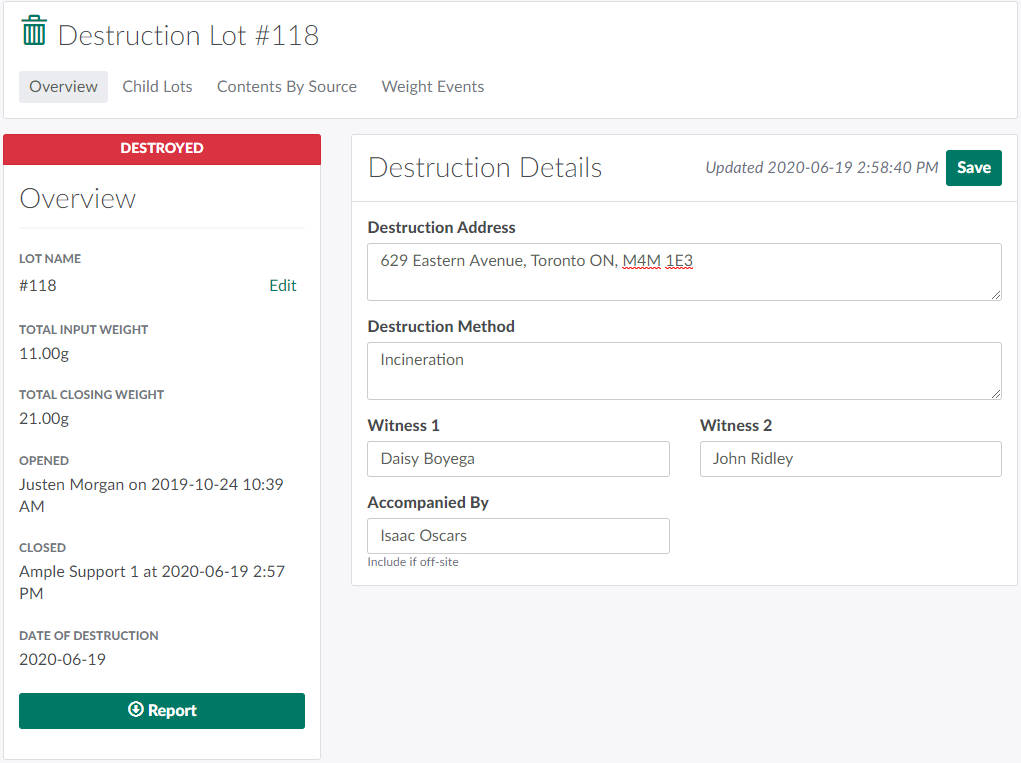
In the Destruction module, select a Destruction Lot in the Closed or Destroyed status.
-
Click Report to generate and the destruction lot report in PDF format.
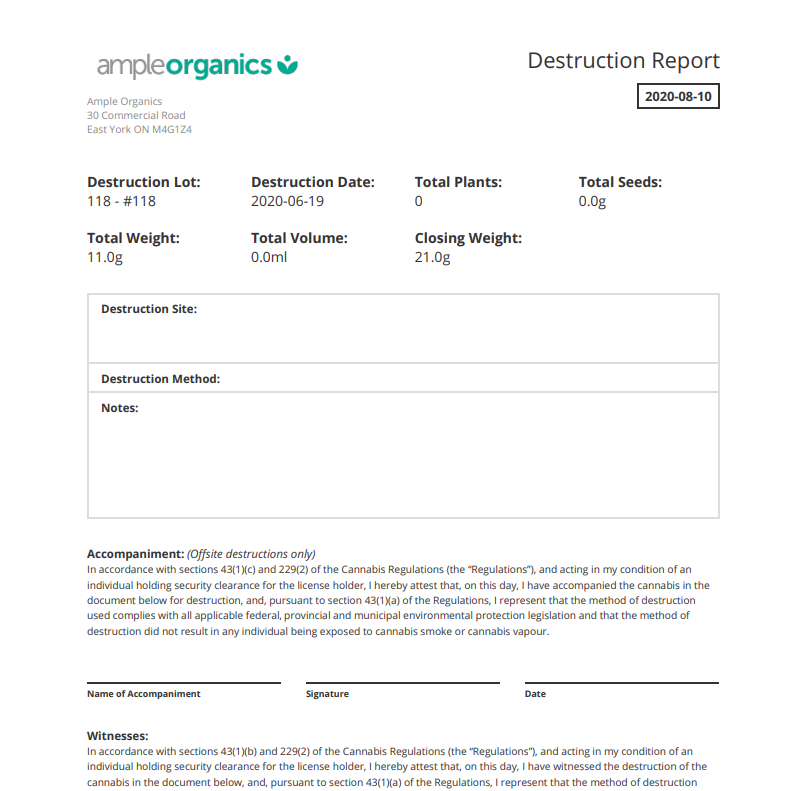
Visit the Reports module to access additional Destruction Reports.