At the end of each reporting month, the CTLS report pulls values from the Reports module's Settings tab to populate the report's Business Stats section. A licence holder should review and adjust these fields before the end of each month to ensure reporting accuracy.
Note*: Only users with Admin access should have permission to update facility information.*
Required permission(s): facility_information_read, facility_information_update
-
In the Reports module, open the Settings tab.
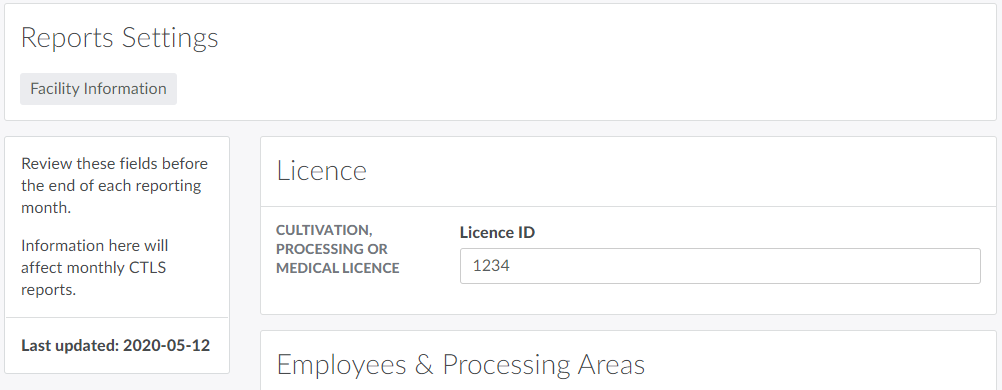
-
Enter the licence holder's cultivation, processing, or medical licence ID number in the field provided.
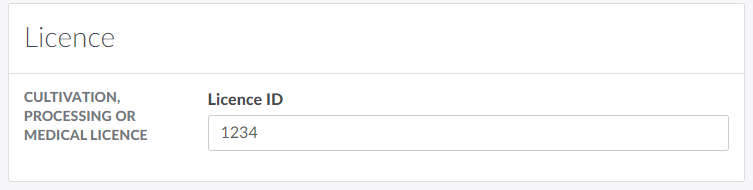
-
Configure employee totals and processing area information in the fields provided.
-
Number of Employees
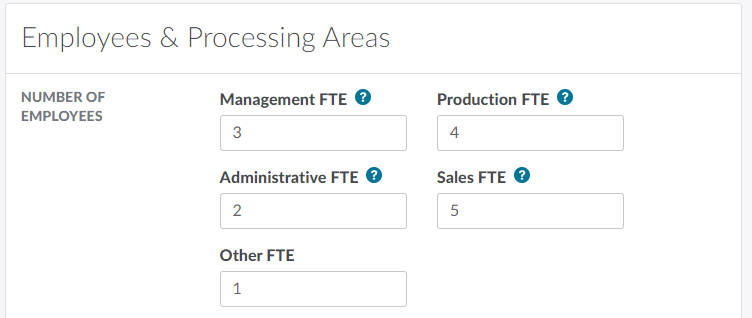
- Management FTE: The number of full time employees in senior and middle management positions.
- Production FTE: The number of full time employees in supervisory, production, and general labour positions.
- Administrative FTE: The number of full time employees in financial, administrative, clerical, and support positions.
- Sales FTE: The number of full time employees in retail, wholesale, and customer support positions.
- Other FTE: The number of full time employees in miscellaneous.
-
Processing Areas
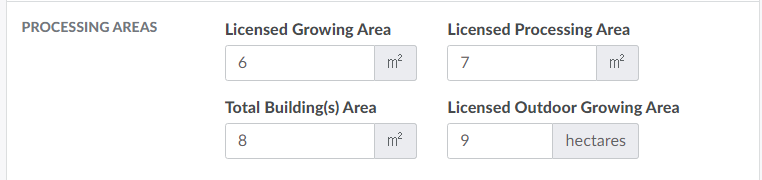
- Licensed Growing Area: The licence holder's licensed indoor growing area, in square metres.
- Licensed Processing Area: The licence holder's licensed processing area, in square metres.
- Total Building(s) Area: The licence holder's total building area, in square metres.
- Licensed Outdoor Growing Area: The licence holder's licensed outdoor growing area, in hectares.
-
-
Click Save to update the facility information settings.
Visit the Monthly Reports tab to Generate the CTLS Report.