Before approving a vendor, ensure the vendor meets internal approval criteria. Each license holder should create Standard Operating Procedures–or SOPs–to determine how and when vendors are approved internally.
Required permission(s): vendor_read, vendor_update
-
In the Wholesale application, open the Vendors tab.
[img vendors-index] -
Select a vendor to open the Vendor's Profile.
[img vendor-profile] -
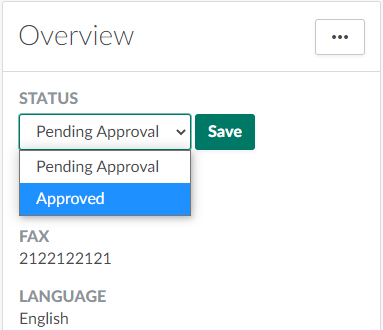
Open the Status drop-down menu, and select Approved.
-
Click Save to approve the vendor.

Once the vendor has been approved, Create a Sales Order.