Typically, Grow Technicians designate a batch as a Mother batch upon creation. However, a technician can grant or revert a batch's Mother status at any time through the Gun App.
Required permission(s): batch_read, batch_update
Mark a Batch as a Mother Batch
-
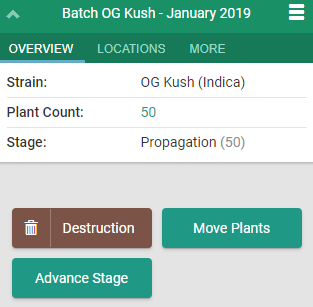
Open a batch's summary page by scanning its barcode.
-
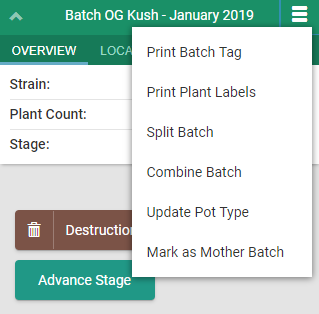
Click the

icon to open a menu of options.
-
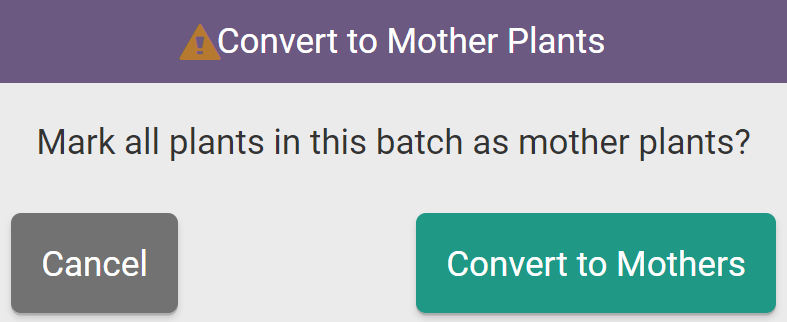
Select Mark as Mother Batch. This opens a confirmation modal.
-
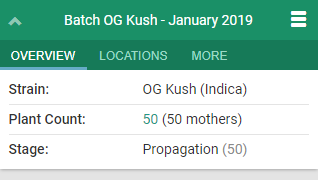
Click Convert to Mothers to mark all living plants in the batch as Mothers.
Revert a Batch's Mother Status
-
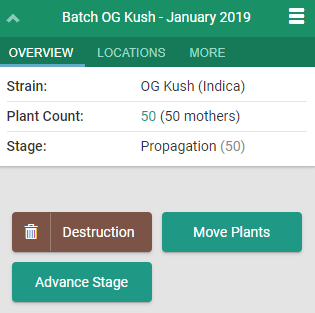
Open a Mother batch's summary page by scanning its barcode.
-
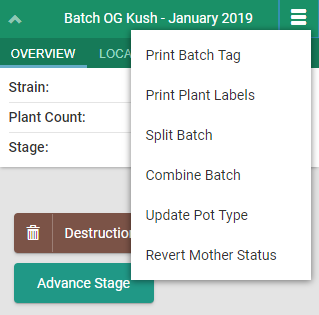
Click the
icon to open a menu of options.
-
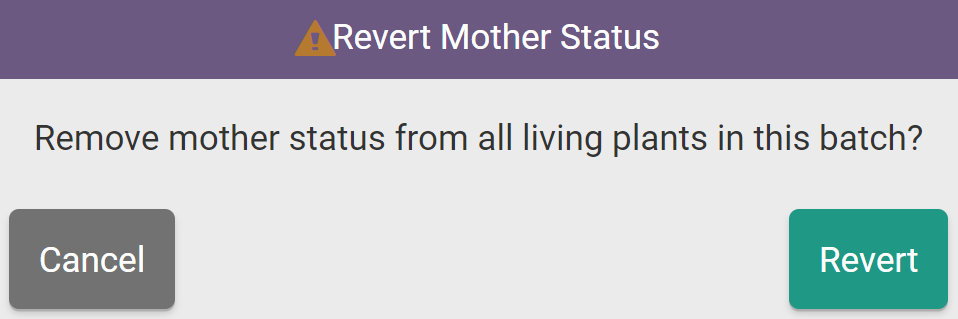
Select Revert Mother Status. This opens a confirmation modal.
-
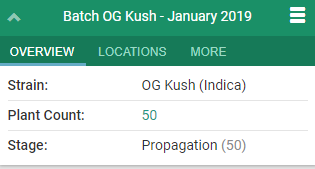
Click Revert to remove Mother status from all living plants in the batch.
The Gun App also allows Grow Technicians to Change an Individual Plant's Mother Status.