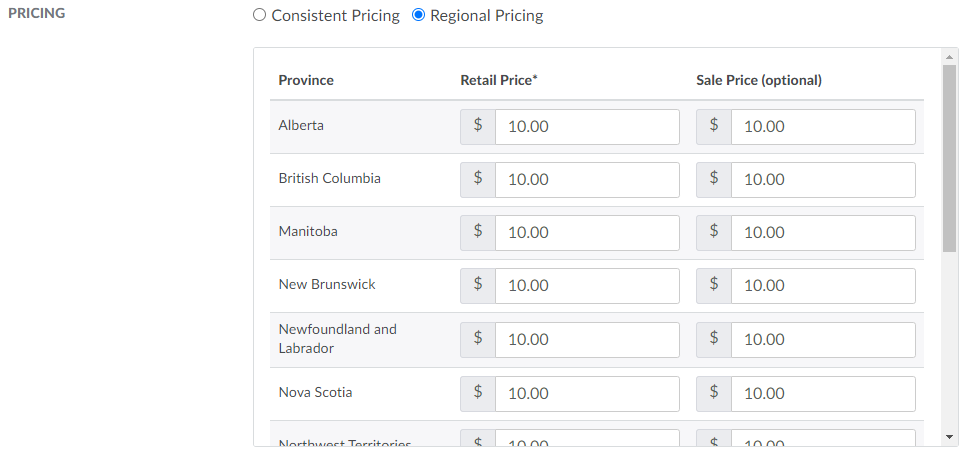
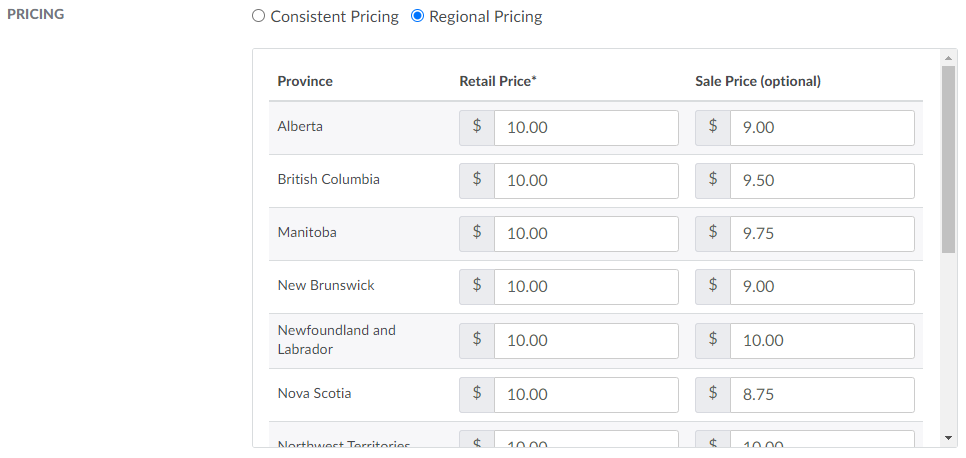
As excise taxes differ among provinces and territories, a license holder may set up regional pricing to recoup regional costs. When regional pricing is enabled and specified and a client places an order, the Seed-to-Sale software references the province/territory of the client's shipping address to determine how much the client pays for each line item.
Required permission(s): product_read, product_update
-
In the Products module, select a product.
[img product-overview] -
Select a SKU to open the SKU's Profile.
[img sku-overview] -
Open the Client Sales Setup tab.
[img sku-client-sales-setup] -
Click Edit to unlock the fields.
-
Scroll down to the Pricingsection, and click the Regional Pricing radio button. This unlocks distinct pricing fields for each Canadian province.
-
Enter a retail price and, if necessary, a sale price in the fields provided for each province.
-
Click Save to store the regional prices.

If the SKU will be available for wholesale purchases, visit the Cases tab to Create a Case SKU. A Product Manager can also Create Combo SKUs to group multiple SKUs into a single, saleable product.