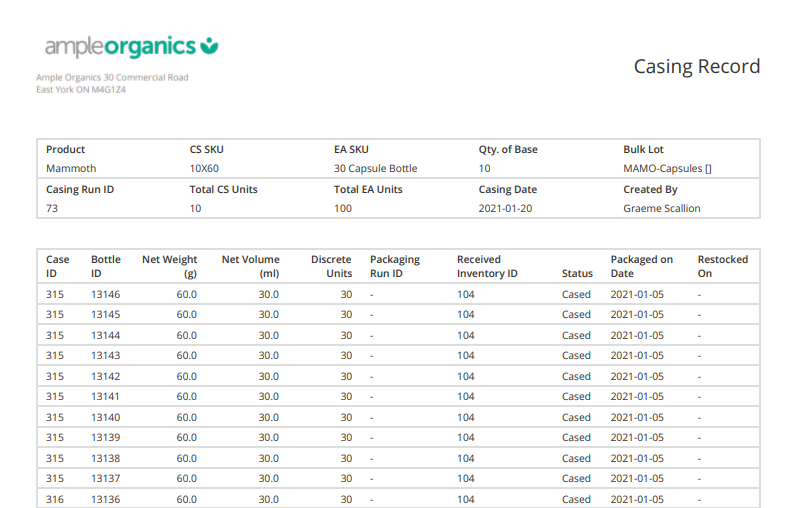
After packaging cases through Casing Run, a Packaging Associate can generate a casing record to quickly pull all case ID numbers created in the run and the bottle IDs in each case.
Required permission(s): product_read, casing_run_read
-
In the Products module, select a product.
[img product-overview] -
Select a SKU to open the SKU's Profile.
[img sku-overview] -
Open the Cases tab.
[img sku-cases] -
Select a Case SKU to open the Case SKU's Profile.
[img case-sku-overview] -
Open the Casing Runs tab.
[img casing-runs] -
Select a Casing Run, and click the

icon to generate and download a Casing Record in PDF format.
From the Casing Runs tab, you can also Print Case Labels, Create a Casing Run, or Restock Cases.