Under the new vapour product tax introduced by BC Bill 45 in November 2019, license holders must charge 20% PST on vapour products sold to clients in British Columbia. The Bill defines a "vapour product" as any e-vaping device, e-substance, or cartridge, part, or accessory for an e-vaping device. If a licence holder sells any products that fit the description of a "vapour product", they should follow the steps below to tag these products so that the appropriate PST is applied at checkout when these products are sold to BC.
Required permission(s): product_read, product_update
-
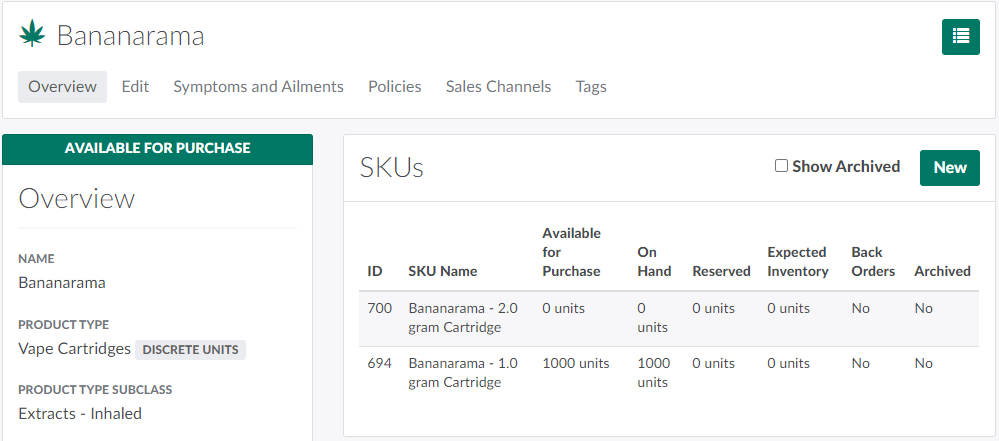
In the Products module, select a product.
-
Note*: The product's type subclass must be Extracts-Inhaled or Accessories.*
-
-
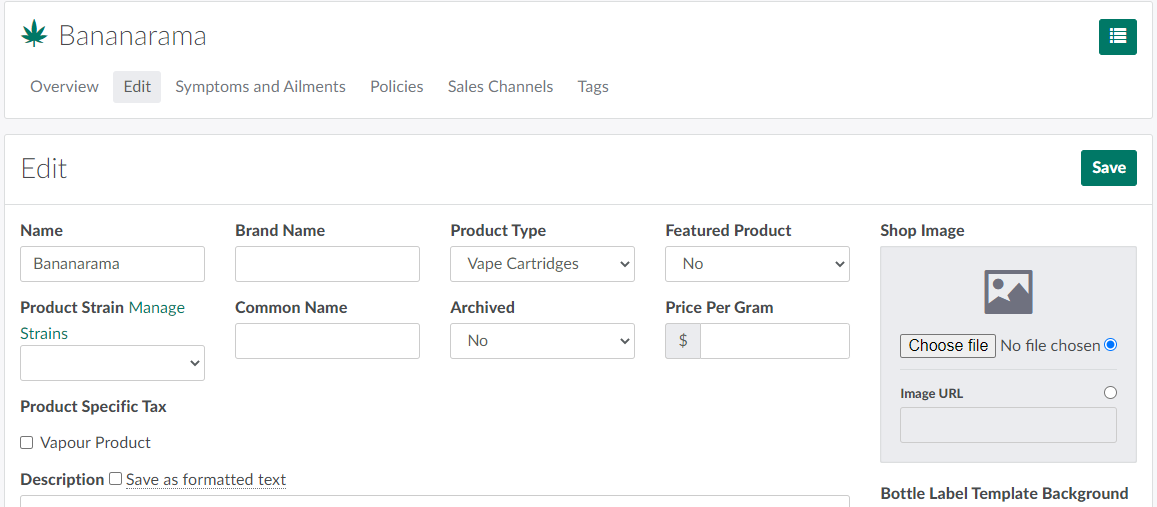
Open the Edit tab.
-
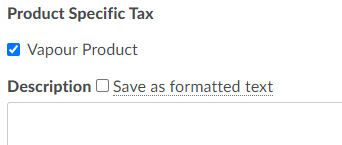
Check the Vapour Product checkbox beneath the Product Specific Tax heading.
-
Note*: If the checkbox does not appear, the product has the incorrect type subclass.*
-
-
Click Save. This tags the product as a vapour product. If a client purchases the product as part of a medical order where the shipping province is British Columbia, a 20% tax will be applied to the product, with GST charged on top.
From the Edit tab, you can also Upload a Product Image.