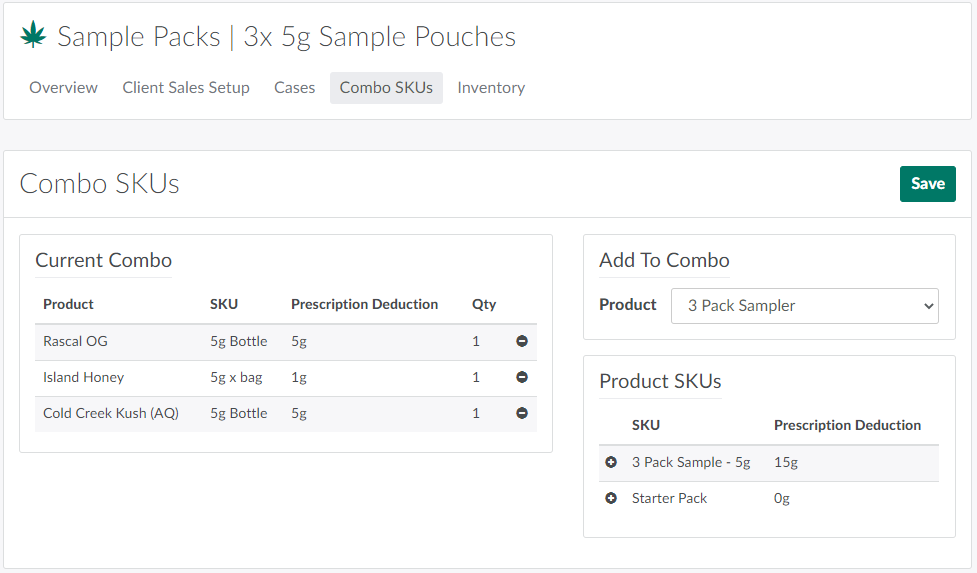
Product managers can use the Combo SKUs tab to combine multiple SKUs into a single saleable product. For example, a license holder might sell a “sample pack” that groups 2-3 cannabis products into a single SKU to allow a client to try multiple strains at a reduced price.
However, to Create a Combo SKU, the product manager must create a "shell" product and a "shell" SKU to host the combination. The "shell" SKU pulls inventory and potency information from any SKU added to the combination.
For more information on other SKU Profile tabs, visit the articles on Client Sales Setup, Cases, and Inventory.