Through the Medical Settings module, Customer Service Representatives–or CSRs–can customize the medical options available when creating Product and Client Profiles. The Medical Settings module splits into three tabs: Physicians, Symptoms, and Ailments.
When you open the Medical Settings module, the Physicians tab opens by default.
Physicians
When Adding a New Prescription, a CSR must select the prescribing physician. The Physicians tab hosts high-level information about each physician, including the physician's name, business name, phone number, province, and status. If a physician is disabled–meaning they are no longer verified to prescribe cannabis–their name will appear in red on the Physicians table.
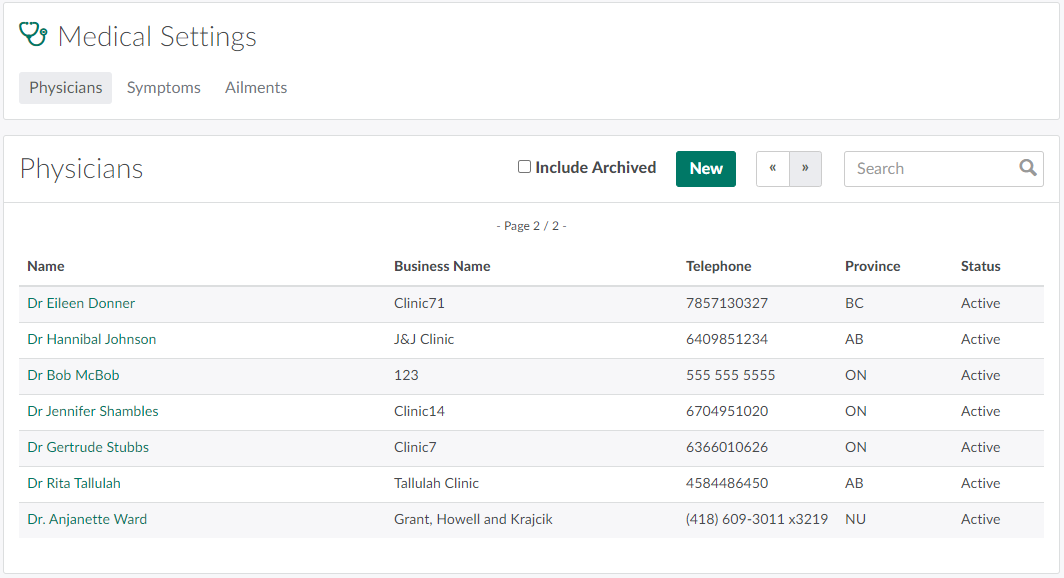
Click New to Add a New Physician.Select a physician to open the Physician's Profile.